The Battle of the Rewriting Tools
Have you ever stared at a blank screen, trying to rewrite something in a different way? Maybe you’re a student working on an assignment, a blogger creating content, or someone who just needs to say the same thing differently. That’s where rewriting tools come in handy!
- The Battle of the Rewriting Tools
- QuillBot
- The Basics Everyone Should Know
- What Can Quillbot Do?
- Free vs Premium: What’s the Difference?
- 💖 You Might Also Like
- Spinbot
- Understanding the Speed Demon
- How Does Spinbot Work?
- What Makes Spinbot Different?
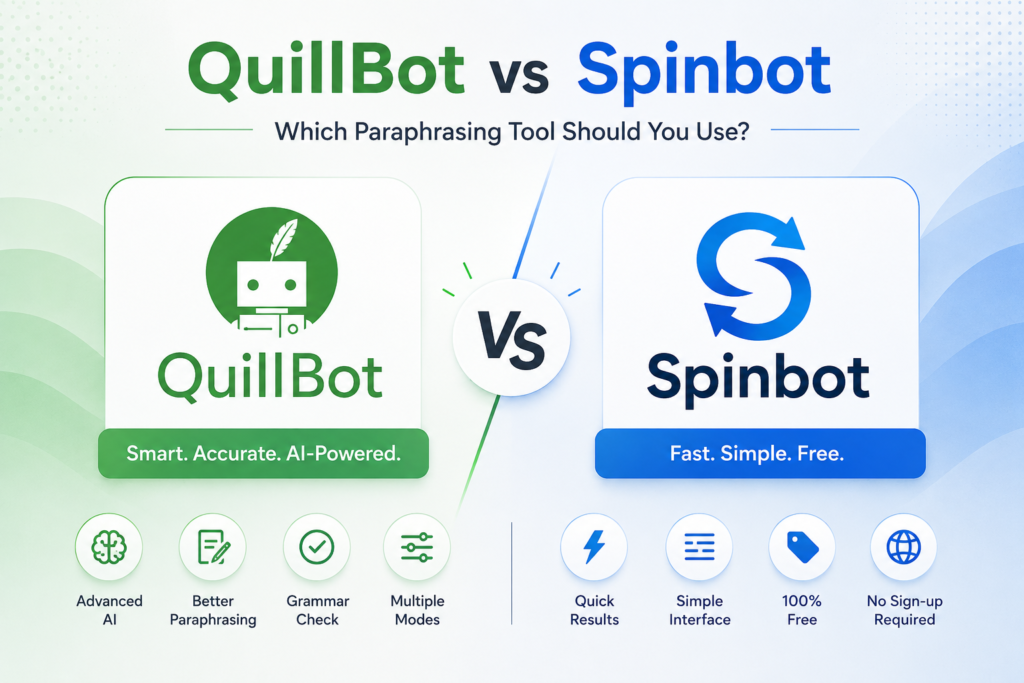
- The Big Comparison: Quillbot vs Spinbot
- Quality of Rewriting
- Speed and Ease of Use
- Features and Extras
- Accuracy and Grammar
- Price and Value
- User Interface (How It Looks and Feels)
- Real-World Testing: Let’s See Them in Action!
- Quillbot’s Result:
- Spinbot’s Result:
- ✨ More Stories for You
- When Should You Use Quillbot?
- For School and College Work
- For Professional Writing
- When Quality Matters Most
- For Learning and Improvement
- When Should You Use Spinbot?
- For Quick, Casual Rewrites
- When You’re on a Tight Budget
- For Getting Ideas
- When Privacy is Super Important
- The Downsides: What You Should Know
- Quillbot’s Weaknesses
- Spinbot’s Weaknesses
- 🌟 Don't Miss These Posts
- Tips for Using Rewriting Tools Effectively
- Always Edit the Output
- Check for Plagiarism
- Keep Your Original Voice
- Use Multiple Passes
- Combine Tools
- Understand What You’re Writing
- Alternatives to Consider
- WordAi
- Paraphrase Online
- Grammarly
- Article Rewriter Tool
- The Verdict: Which Tool Should You Choose?
- Choose Quillbot If:
- Choose Spinbot If:
- The Winner for Most People: Quillbot
- Frequently Asked Questions (FAQ)
- Are These Tools Legal to Use?
- Will Teachers Know I Used a Rewriting Tool?
- Can These Tools Rewrite Any Language?
- How Much Can I Rewrite at Once?
- Will My Text Be Stored or Shared?
- Can I Use These Tools on My Phone?
- Do These Tools Work with All Types of Writing?
- The Future of Rewriting Tools
- Better AI Understanding
- More Languages
- Voice Integration
- More Customization
- Integration with Other Apps
- Final Thoughts and Recommendations
- For Students:
- For Professional Writers:
- For Casual Users:
- For Everyone:
- Taking Action: Getting Started Today
- Step 1: Try Both Tools
- Step 2: Start with Free Versions
- Step 3: Practice Good Habits
- Step 4: Learn from the Tools
- Step 5: Stay Ethical
- Conclusion: Your Writing Journey
Today, we’re going to talk about two popular tools: Quillbot and Spinbot. Think of them as your digital helpers that can take your words and give them a fresh new look. But which one is better? That’s exactly what we’re going to find out!
Imagine you have two friends who both offer to help you with your homework. One friend is really careful and takes their time, while the other friend works super fast but sometimes makes mistakes. That’s kind of like Quillbot and Spinbot. Let’s discover which one might be your new best friend!
QuillBot
The Basics Everyone Should Know
Quillbot is like a smart assistant that lives on the internet. When you give it some text, it reads it carefully and then writes it again using different words. But here’s the cool part – it tries to keep the same meaning!
Think of it like this: If you tell your friend “I love eating ice cream on hot days,” Quillbot might change it to “I enjoy having ice cream when the weather is warm.” See? Same idea, different words!
Quillbot was created by a team of smart people who wanted to help writers everywhere. It uses something called “artificial intelligence” (don’t worry, that’s just a fancy way of saying it’s really smart computer technology) to understand your writing and make it better.

What Can Quillbot Do?
Quillbot isn’t just a one-trick pony. It has several awesome features:
Paraphrasing Tool: This is the main attraction! It rewrites your sentences while keeping the meaning the same. You can choose how much you want it to change – a little bit or a lot!
Grammar Checker: Just like your English teacher, Quillbot can spot grammar mistakes and help you fix them. It looks for things like wrong punctuation, spelling errors, and weird sentence structures.
Summarizer: Got a long article or essay? Quillbot can read it and give you a short version with all the important points. It’s like getting the highlights of a movie!
Citation Generator: If you’re writing a school paper, this helps you create proper citations. It’s like having a librarian in your computer!
Translator: Quillbot can even translate text between different languages. Pretty neat, right?
Free vs Premium: What’s the Difference?
Quillbot offers two versions: a free one and a paid one (called Premium).
Free Version:
- You can rewrite up to 125 words at once
- You get 2 writing modes
- Basic grammar checking
- Limited features
Premium Version (costs money):
- Rewrite up to 6,000 words at once
- 7 different writing modes
- Better grammar checking
- Faster processing
- No ads
- All features unlocked
Think of it like a video game – the free version lets you play and have fun, but the premium version gives you all the special powers and extra levels!
💖 You Might Also Like
Spinbot
Understanding the Speed Demon
Now let’s talk about Spinbot! If Quillbot is like a careful artist, Spinbot is like a race car. It’s super fast and completely free to use. You don’t need to create an account or pay any money – just paste your text and boom! It’s rewritten.
Spinbot is simpler than Quillbot. It doesn’t have all those fancy features we talked about. Instead, it focuses on one thing: spinning your text quickly. “Spinning” is just another word for rewriting or paraphrasing.

How Does Spinbot Work?
Using Spinbot is as easy as eating a cookie (and way less messy!). Here’s how it works:
- You go to the Spinbot website
- You paste your text into a box
- You click a button
- Spinbot shows you the rewritten version
That’s it! No complicated settings, no choosing modes, no fuss. It’s designed to be super simple for anyone to use.
What Makes Spinbot Different?
100% Free: Unlike Quillbot, everything on Spinbot is free. You never have to pay a single penny!
No Registration Needed: You don’t need to create an account or remember a password. Just visit the website and start using it right away.
Quick Results: Spinbot works really fast. In just seconds, your text is rewritten and ready to go.
Simple Interface: The website is very basic and easy to understand. There aren’t a million buttons and options to confuse you.
However, there’s a catch (there’s always a catch, right?). Because Spinbot is so simple and fast, it doesn’t always do the best job. Sometimes the rewritten text can sound a bit weird or confusing. We’ll talk more about that later!
The Big Comparison: Quillbot vs Spinbot
Now comes the exciting part – let’s compare these two tools side by side! It’s like comparing pizza and burgers – both are food, but they’re pretty different!
Quality of Rewriting
Quillbot: When it comes to quality, Quillbot is like a gold medal winner. It uses advanced AI technology to understand the context of your writing. This means it knows what you’re trying to say and rewrites it in a way that makes sense.
For example, if you write “The dog ran quickly across the yard,” Quillbot might change it to “The canine swiftly moved through the garden.” It keeps the meaning and sounds natural.
Spinbot: Spinbot is more like a participation trophy. It tries its best, but the results can be hit or miss. Sometimes it works great, but other times it creates sentences that sound robotic or strange.
Using the same example, Spinbot might say something like “The canine executed rapid movement across yard space.” See how that sounds a bit odd? That’s because Spinbot uses a simpler method called “synonym replacement” where it just swaps words without fully understanding the sentence.
Winner: Quillbot – It produces much more natural and readable text.
Speed and Ease of Use
Quillbot: Quillbot is pretty fast, but you need to create an account first. The free version has a limit on how many words you can rewrite at once, so if you have a long piece of text, you might need to do it in chunks. It’s like eating a pizza slice by slice instead of all at once.
Spinbot: Spinbot is the speed champion! No account needed, no limits (well, some limits but they’re generous), and it works in seconds. It’s the fastest way to get text rewritten, hands down.
Winner: Spinbot – If you need something quick and don’t want to sign up for anything, Spinbot wins this round.
Features and Extras
Quillbot: This is where Quillbot really shines! Remember all those features we talked about? Grammar checker, summarizer, citation generator, translator, and different writing modes? That’s a lot of tools in one place! It’s like having a Swiss Army knife instead of just a regular knife.
The different writing modes are especially cool:
- Standard: Balanced rewriting
- Fluency: Makes your writing smooth and easy to read
- Creative: Changes things up more dramatically
- Formal: Perfect for school papers and professional writing
- Simple: Makes complex writing easier to understand
- Expand: Makes short sentences longer
- Shorten: Makes long sentences shorter
Spinbot: Spinbot only does one thing – rewrite text. No extra features, no special modes, no bells and whistles. It’s like having just a hammer when you need to build something complicated.
Winner: Quillbot – More features mean more ways to improve your writing!
Accuracy and Grammar
Quillbot: Quillbot is very good at maintaining proper grammar. It rarely makes mistakes, and when it does, it’s usually small. Plus, it has a built-in grammar checker to catch any errors!
Spinbot: This is where Spinbot struggles. Because it’s just swapping words around without deeply understanding the text, it sometimes creates grammar mistakes. You might end up with sentences that are grammatically incorrect or just sound weird.
Winner: Quillbot – Better grammar means better writing!
Price and Value
Quillbot: The free version is okay for basic use, but if you want all the good stuff, you need to pay. The Premium version costs around $8-10 per month (prices may vary). That’s like buying two fancy coffee drinks each month.
Is it worth it? If you write a lot and need high-quality rewriting, then yes! It’s an investment in your writing.
Spinbot: Completely free! Zero dollars, zero cents. You can use it as much as you want without paying anything. That’s pretty amazing!
Winner: Spinbot – You can’t beat free!
User Interface (How It Looks and Feels)
Quillbot: Quillbot has a modern, clean design. It’s organized and looks professional. Everything is labeled clearly, and there are helpful tooltips to guide you. However, with all its features, it might feel a bit overwhelming at first.
Spinbot: Spinbot’s website is very basic and straightforward. It’s not fancy, but it’s functional. You know exactly what to do when you land on the page. No confusion, no complexity.
Winner: Tie – Quillbot looks better, but Spinbot is simpler. It depends on what you prefer!
Real-World Testing: Let’s See Them in Action!
Let’s do a fun experiment! We’ll take the same piece of text and see how both tools handle it. This is like a cooking show where two chefs make the same dish!
Original Text: “Technology has changed our lives in many ways. We use smartphones every day to talk to friends, find information, and play games. The internet connects people from all around the world.”
Quillbot’s Result:
“Modern technology has transformed our daily existence significantly. Smartphones are used regularly for communicating with companions, searching for data, and enjoying entertainment. The global population is connected through internet technology.”
Analysis: This sounds natural and keeps the meaning. The words are different but the message is clear. A teacher reading this wouldn’t immediately think it was rewritten.
Spinbot’s Result:
“Innovation has adjusted our lives in numerous ways. We utilize cell phones consistently to converse with companions, discover data, and mess around. The web associates individuals from all around the globe.”
Analysis: This sounds a bit awkward. “Innovation” instead of “technology” works, but “mess around” instead of “play games” sounds weird. “Cell phones consistently” is also a bit clunky.
What We Learned: Quillbot produces more natural-sounding results, while Spinbot’s output might need some manual editing to sound perfect.
✨ More Stories for You
When Should You Use Quillbot?
Quillbot is your best friend in these situations:
For School and College Work
If you’re a student writing essays, research papers, or assignments, Quillbot is the better choice. Teachers expect high-quality writing, and Quillbot delivers that. The grammar checker and citation generator are super helpful for academic work.
Important note: Always make sure to follow your school’s rules about using such tools! Some schools have strict policies, so check with your teacher first.
For Professional Writing
Are you writing emails for work, business reports, or articles? Quillbot’s formal mode and grammar checker make sure you sound professional. No one wants to send an email full of mistakes to their boss!
When Quality Matters Most
If you need the best possible rewrite and you’re willing to spend a little time (and maybe money), Quillbot is your tool. It’s perfect for important documents where every word counts.
For Learning and Improvement
Quillbot can actually help you become a better writer! By seeing how it restructures sentences, you can learn new ways to express your ideas. It’s like having a writing tutor!
When Should You Use Spinbot?
Spinbot has its moments to shine too! Here’s when it’s the right choice:
For Quick, Casual Rewrites
Need to rewrite something fast and it doesn’t need to be perfect? Spinbot’s got you covered! It’s great for casual blog posts, social media content, or personal projects.
When You’re on a Tight Budget
If you can’t afford to pay for a tool and need something better than nothing, Spinbot is there for you. It’s completely free and always will be!
For Getting Ideas
Sometimes you just need a different way to say something to get your creative juices flowing. Spinbot can give you quick alternatives that might spark new ideas, even if you don’t use its exact wording.
When Privacy is Super Important
Spinbot doesn’t require an account, which means you don’t have to share any personal information. If you’re worried about privacy, this is a plus!
The Downsides: What You Should Know
No tool is perfect! Let’s talk about the not-so-great parts of each one.
Quillbot’s Weaknesses
Costs Money for Full Features: The free version is limited. If you want the really good stuff, you need to open your wallet. For some people, especially students with tight budgets, this can be a deal-breaker.
Can Be Too Complex: With all its features and modes, Quillbot might feel overwhelming for beginners. It’s like getting a new phone with too many settings – it takes time to learn everything.
Word Limits on Free Version: Only 125 words at a time on the free plan means lots of copy-pasting if you have a long document. That can get annoying fast!
Requires Internet Connection: You can’t use Quillbot offline. If your internet goes down, so does your rewriting tool.
Spinbot’s Weaknesses
Lower Quality Output: This is the big one. Spinbot often produces text that sounds unnatural or contains errors. You’ll likely need to edit the results manually.
No Grammar Checking: Spinbot won’t catch grammar mistakes in your original text, and it might even create new ones!
Limited Functionality: It only does one thing – rewrite text. If you need other features, you’ll need to use other tools.
Can Create Nonsensical Sentences: Sometimes Spinbot’s word swapping creates sentences that don’t make sense at all. You need to read through everything carefully.
No Customer Support: If something goes wrong or you have questions, there’s no one to help you. With free tools, you’re usually on your own.
🌟 Don't Miss These Posts
Tips for Using Rewriting Tools Effectively
Now that you know about both tools, here are some expert tips to get the best results!
Always Edit the Output
Never just copy and paste what these tools give you! Always read through the rewritten text and make changes. Think of the tool as your helper, not your replacement.
Check for Plagiarism
Even after rewriting, always use a plagiarism checker to make sure your text is truly original. Tools like Copyscape or even free plagiarism checkers can help.
Keep Your Original Voice
Don’t let the tool completely change your writing style. Your unique voice is what makes your writing special! Use these tools to help express your ideas, not to replace them.
Use Multiple Passes
For really important work, try rewriting the text more than once. You can even use the tool’s output and rewrite it again manually to make it even better.
Combine Tools
Who says you can only use one? You could use Spinbot for a quick first pass, then use Quillbot to polish it up. Using both tools together can sometimes give you the best results!
Understand What You’re Writing
Never rewrite something you don’t understand! These tools work best when you know your topic well. Read and understand your original text before rewriting it.
Alternatives to Consider
While we’re focusing on Quillbot and Spinbot, there are other tools out there too! Here are a few worth mentioning:
WordAi
This is a premium tool (costs money) that uses advanced AI. It’s similar to Quillbot but some people think it’s even better. It’s more expensive though!
Paraphrase Online
A free tool that’s somewhere between Quillbot and Spinbot in terms of quality. It’s worth trying if you want another free option.
Grammarly
While mainly known as a grammar checker, Grammarly also has rewriting features. If you’re already using Grammarly, you might not need another tool!
Article Rewriter Tool
Another free option that works similarly to Spinbot. It’s good to have as a backup option.
The Verdict: Which Tool Should You Choose?
Okay, here’s the moment you’ve been waiting for – which tool is better?
The honest answer is: It depends on what you need!
Choose Quillbot If:
- You need high-quality rewrites that sound natural
- You’re writing for school, work, or professional purposes
- You want extra features like grammar checking and summarizing
- You’re willing to pay for premium features
- Quality is more important than speed
- You don’t mind creating an account
Choose Spinbot If:
- You need something quick and free
- You’re okay with editing the results yourself
- You’re writing casual content that doesn’t need to be perfect
- You can’t afford to pay for a tool
- You don’t want to create an account
- Speed is your top priority
The Winner for Most People: Quillbot
If we have to pick one overall winner, Quillbot takes the crown! Here’s why:
Better Quality: The rewritten text simply sounds more natural and professional. This is the most important factor for most users.
More Features: You get a whole toolkit, not just one function. This makes it better value even if you have to pay.
Suitable for Important Work: You can trust Quillbot for school assignments, work projects, and published content. Spinbot is riskier for important work.
Helps You Learn: Using Quillbot can actually improve your writing skills over time.
However, Spinbot is the winner for anyone who needs a completely free option or just wants to quickly rewrite something casual. It’s not as good, but it’s good enough for many situations!
Frequently Asked Questions (FAQ)
Let’s answer some common questions people have about these tools!
Are These Tools Legal to Use?
Yes, both tools are completely legal. However, how you use them matters! Always follow your school or workplace policies. Some schools don’t allow rewriting tools for assignments, so check first.
Will Teachers Know I Used a Rewriting Tool?
Maybe! Teachers are getting smarter about detecting rewritten content. The best approach is to:
- Always disclose if your school requires it
- Use tools only for inspiration, not to replace your own writing
- Edit the output heavily to add your own voice
Can These Tools Rewrite Any Language?
Quillbot supports multiple languages including Spanish, French, German, and more. Spinbot primarily works with English. Check each tool’s website for the full list of supported languages.
How Much Can I Rewrite at Once?
- Quillbot Free: 125 words
- Quillbot Premium: 6,000 words
- Spinbot: Around 10,000 characters (about 1,500-2,000 words)
Will My Text Be Stored or Shared?
Quillbot has a privacy policy that explains how they handle data. Spinbot doesn’t require an account, so they don’t store your personal information, but always read privacy policies to be sure!
Can I Use These Tools on My Phone?
Yes! Both websites work on mobile browsers. Quillbot also has mobile apps for iOS and Android.
Do These Tools Work with All Types of Writing?
They work with most types of writing, but they’re best for:
- Articles and blog posts
- Essays and papers
- Emails and messages
- Reports and documents
They’re not great for:
- Poetry (the artistic meaning might be lost)
- Highly technical writing with specific terminology
- Legal documents (too risky!)
- Creative fiction (might lose your unique style)
The Future of Rewriting Tools
Technology keeps getting better, and these tools are improving too! Here’s what we might see in the future:
Better AI Understanding
Future tools will understand context even better. They’ll know when you’re being sarcastic, funny, or serious, and adjust accordingly.
More Languages
We’ll see support for more languages and better translation quality, making these tools useful for people all around the world.
Voice Integration
Imagine speaking your text and having it rewritten on the spot! Voice integration might be coming soon.
More Customization
Tools might learn your personal writing style and match it when rewriting, making the output sound more like you.
Integration with Other Apps
These tools might work directly in your word processor, email client, or other writing apps, making them even easier to use.
Final Thoughts and Recommendations
We’ve covered a lot of ground! Let’s wrap everything up with some final wisdom.
For Students:
If you’re a student, invest in Quillbot Premium if you can afford it. The quality is worth it for academic work, and the grammar checker is super helpful. Just remember to always follow your school’s policies about using such tools!
If you can’t afford premium tools, use Spinbot but plan to spend extra time editing. Better yet, use it only for getting ideas and do most of the rewriting yourself.
For Professional Writers:
Quillbot Premium is almost essential. The time you save and the quality you get makes it a good investment. The different writing modes help you adapt content for different audiences.
For Casual Users:
If you’re just rewriting social media posts, emails to friends, or casual blog posts, Spinbot might be all you need. It’s free and fast, and the lower quality won’t matter as much.
For Everyone:
Remember that these tools are helpers, not replacements for your own thinking and writing. The best writing comes from your own brain, creativity, and effort. Use these tools to help express your ideas better, not to avoid writing altogether!
Taking Action: Getting Started Today
Ready to try these tools? Here’s your action plan:
Step 1: Try Both Tools
Visit both Quillbot and Spinbot websites. Try rewriting the same piece of text with both and see which results you prefer. This hands-on experience will tell you more than any article can!
Step 2: Start with Free Versions
Don’t rush to pay for anything. Use Quillbot’s free version first and see if it meets your needs. If you find yourself using it a lot and wanting more features, then consider upgrading.
Step 3: Practice Good Habits
Whatever tool you choose, develop good habits:
- Always edit the output
- Check for grammar and readability
- Make sure the rewritten text makes sense
- Add your own personal touch
Step 4: Learn from the Tools
Pay attention to how these tools restructure sentences. You’ll pick up new vocabulary and sentence structures that will improve your own writing!
Step 5: Stay Ethical
Only use these tools in ways that are honest and allowed. Don’t try to cheat or pass off rewritten work as entirely your own without proper disclosure if required.
Conclusion: Your Writing Journey
Choosing between Quillbot and Spinbot is like choosing between a fancy restaurant and fast food. Both can satisfy your hunger, but the experience and quality are different!
Quillbot is the better overall tool with higher quality, more features, and better results. It’s worth the investment if you write regularly and need reliable, professional-quality rewrites. Think of it as the Swiss Army knife of rewriting tools – lots of options and great quality.
Spinbot is perfect for quick, casual needs and for people who need a free option. It’s fast and simple, even if the quality isn’t always perfect. Think of it as a simple but effective pocket knife – it gets the job done in basic situations.
The most important thing to remember is that no tool can replace your own creativity, understanding, and hard work. These rewriting tools are meant to assist you, not do all the work for you. Use them wisely, edit their output, and always make sure the final product sounds like you!
Whether you choose Quillbot, Spinbot, or use both, the key to success is understanding how to use these tools effectively. Practice, experiment, and keep learning. Your writing will get better over time, and these tools will just be helpful companions on your journey.
Now you know everything you need to make an informed choice! Go ahead and try them out. Start with the free versions, experiment with different types of text, and see which one feels right for you. Happy writing, and may your words always flow smoothly!